Understand the ShipExec Configuration Tool Interface
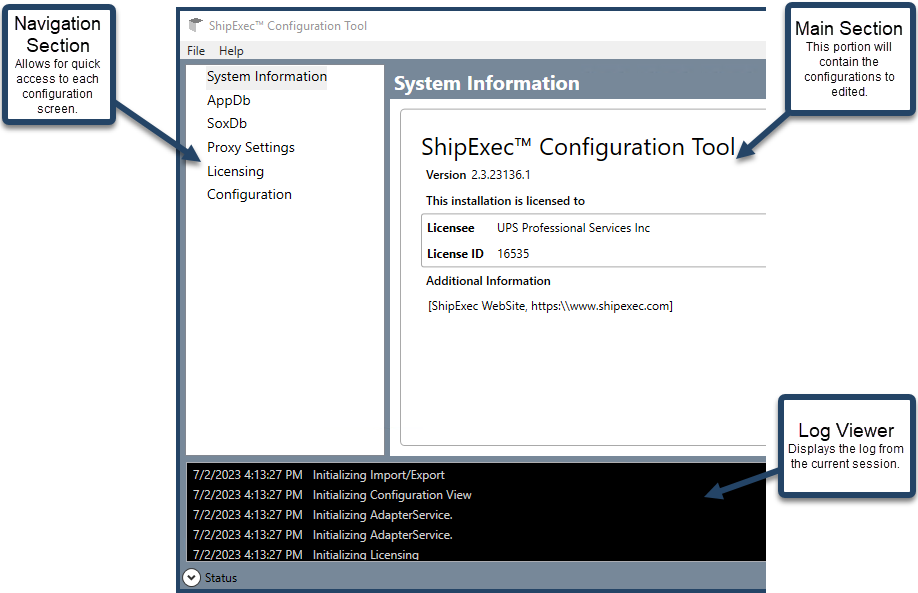
The ShipExec Configuration Tool has three primary panes to make configuration quick and easy..
-
Navigation Section
The Navigation section acts as an always active menu to allow for quick selection of configuration screens to be viewed in the main section.
-
Main Section
The Main section is the primary configuration screen and shows configuration based on the option selected from the navigation section. It is important to save any configuration changes before switching to a different configuration.
-
Log Viewer Section
The Log Viewer section show the status log of changes being made to the configuration. This information is also written in more detail to a log file in the Logs subdirectory of the ShipExec Core installation. By default, this file is archived every day with only 15 days of logs being kept.